Index
type():查詢資料型態
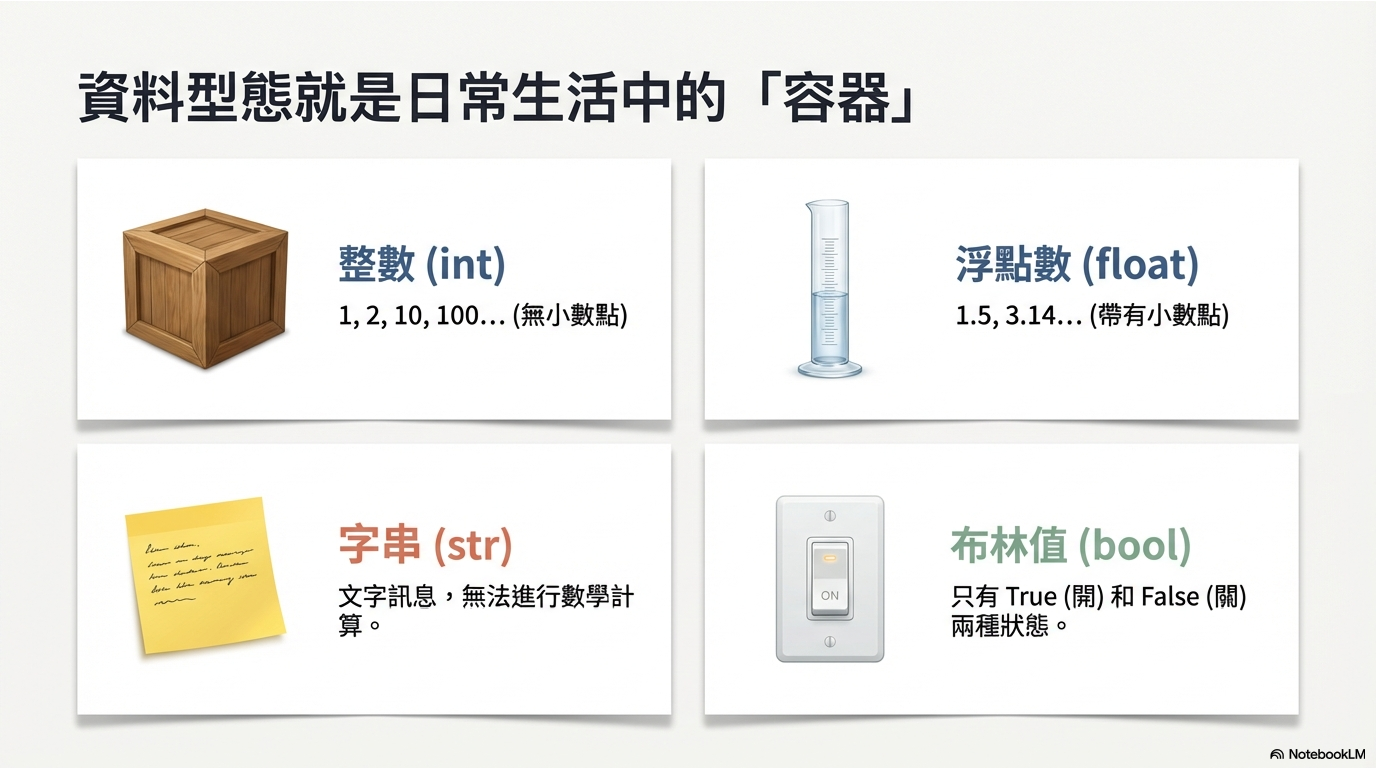
在開始學不同資料型態前,我們需要一個工具來確認我們手上拿的到底是什麼。Python 提供了一個超好用的type() 函式。
score = 95 # 整數 (int)
print(type(score))
# <class 'int'>

pi_value = 3.14159 # 浮點數 (float)
print(type(pi_value))
# <class 'float'>

slogan = "顏面神經失調" # 字串 (str)
print(type(slogan))
# <class 'str'>
Integer
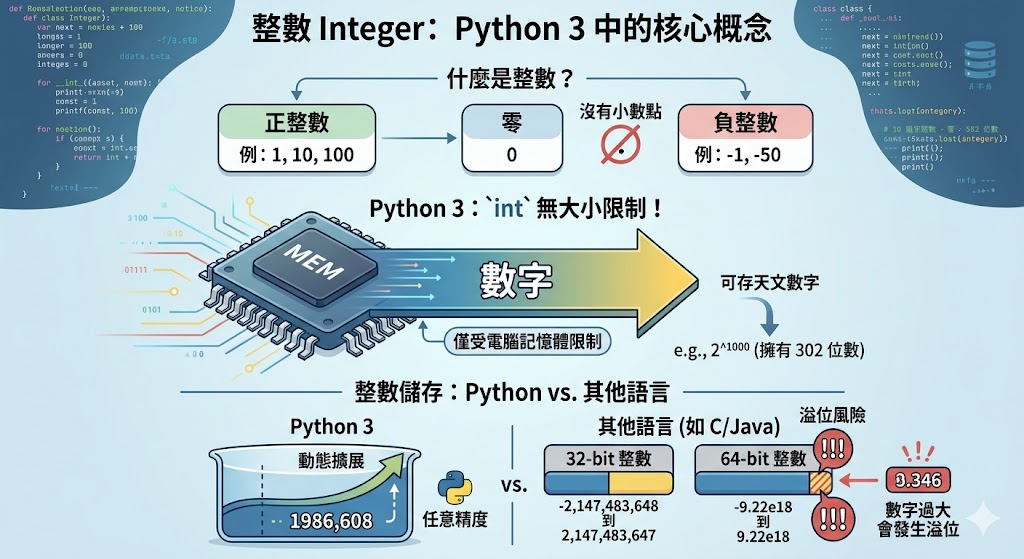
- 就是沒有小數點的數字,正數、負數、零都可以。
- 在 Python 3 中,int 沒有儲存大小限制!你可以存一個天文數字,只要你的電腦記憶體夠大就行。
在其他程式語言中,整數通常會有儲存空間大小限制(例如 32 位元整數範圍:-2,147,483,648 到 2,147,483,647)。
Float
- 帶有小數點的數字,例如 1.0、48.52、−0.001。
- 在其他程式語言中,可以再進一步分為【單經度浮點數float】與【雙經度浮點數double】。
- 在 Python 中,其實只有一種浮點數類型:float,它對應的是雙精度浮點數(double precision)。
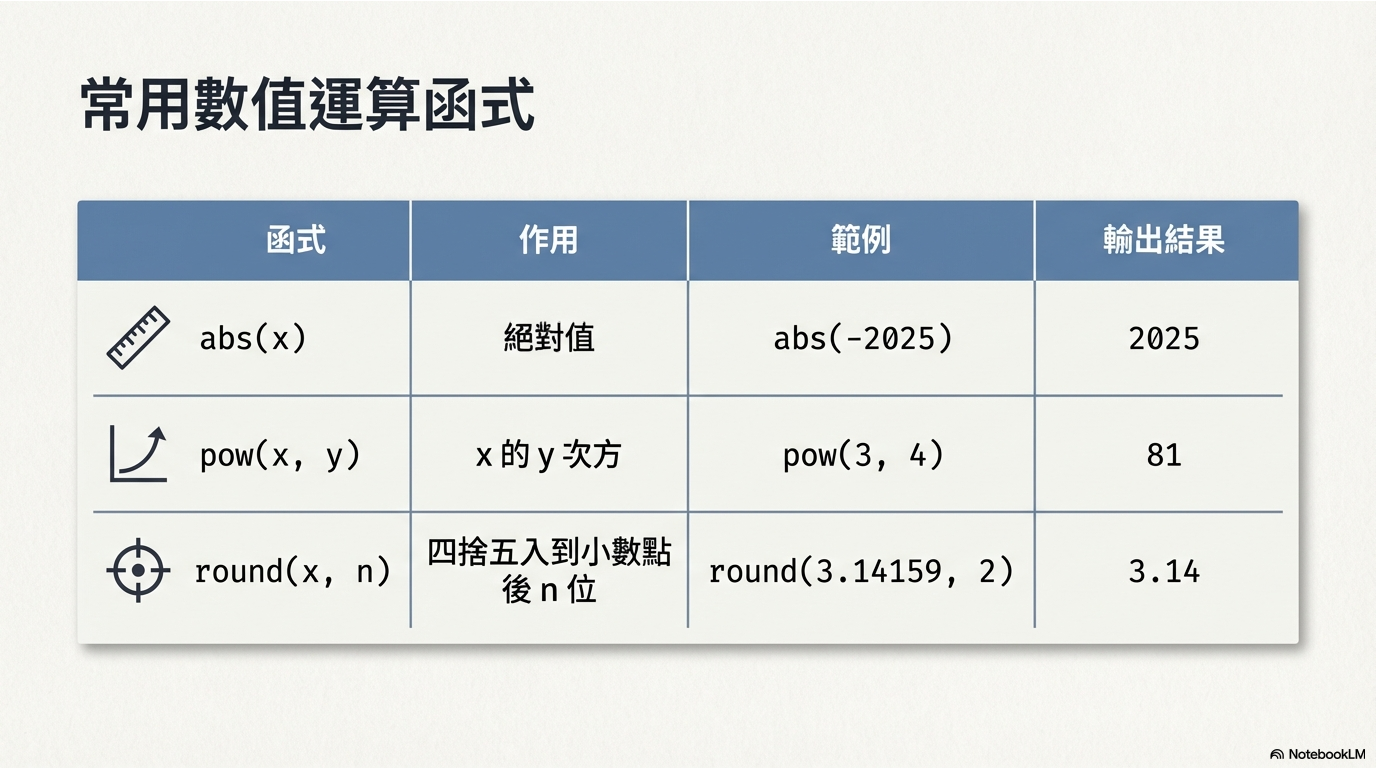
常用數值運算函式
String:字串
### 字串加法
first_name = "小"
last_name = "明"

# 字串連接:姓名加上空格
full_name = first_name + " " + last_name
print(f"我的全名是: {full_name}")
多行字串
Escape Characters:逸出字元
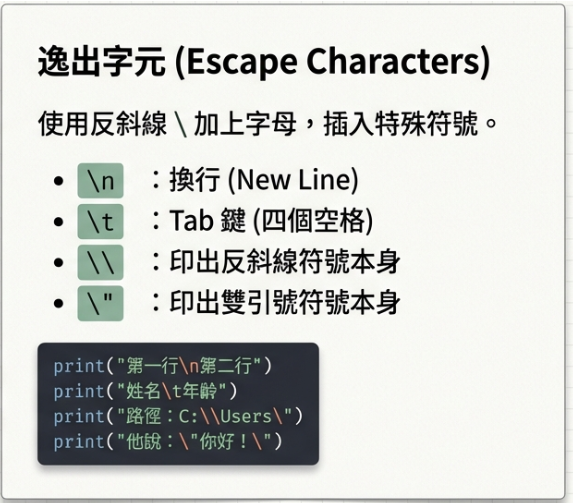
text1 = "第一行\n第二行"
print("--- 換行範例 ---")
print(text1)

text2 = "姓名:\tAllen\n職位:\t講師"
print("--- Tab 範例 ---")
print(text2)
原始字串 r
在字串前加 r 可忽略逸出字元效果(常用於路徑表示)
byte:二進位資料
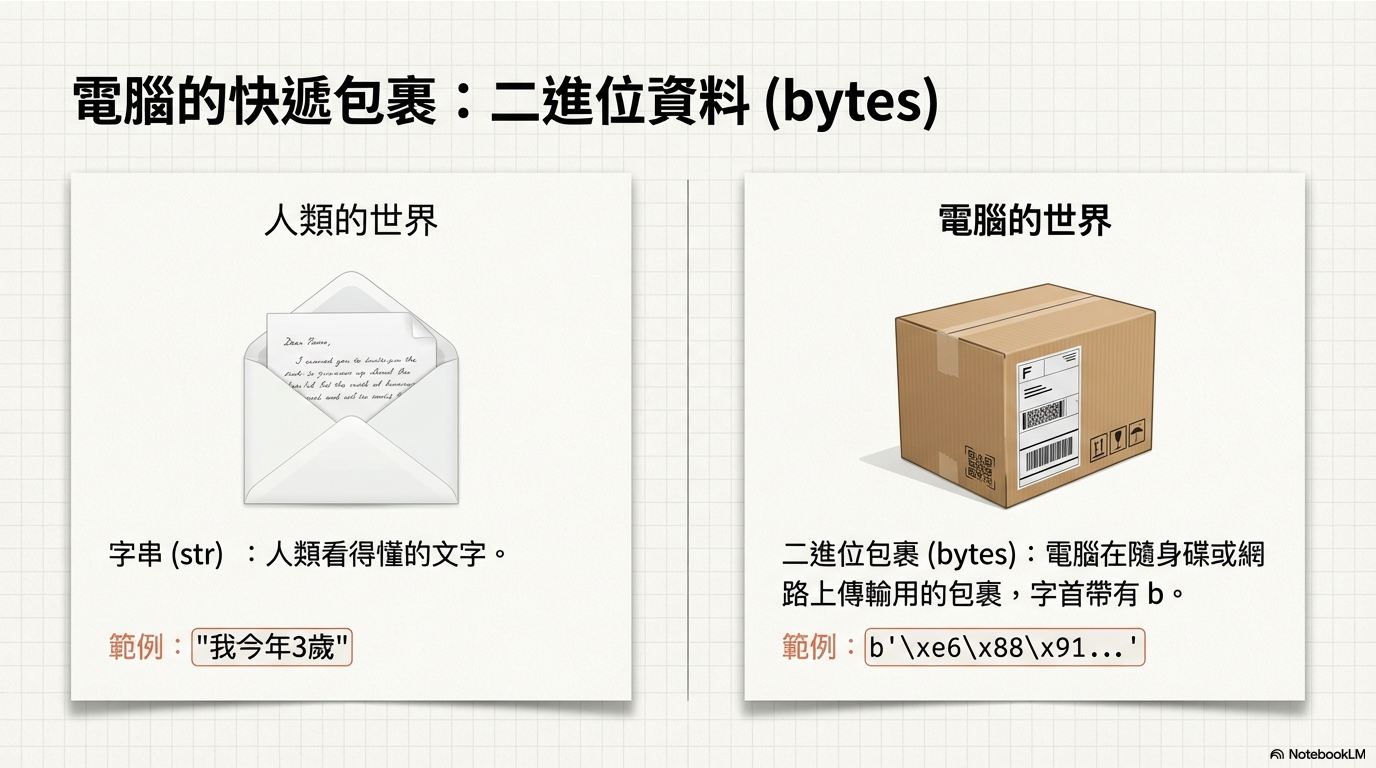
寄件與收件的兩大動作:打包與拆包
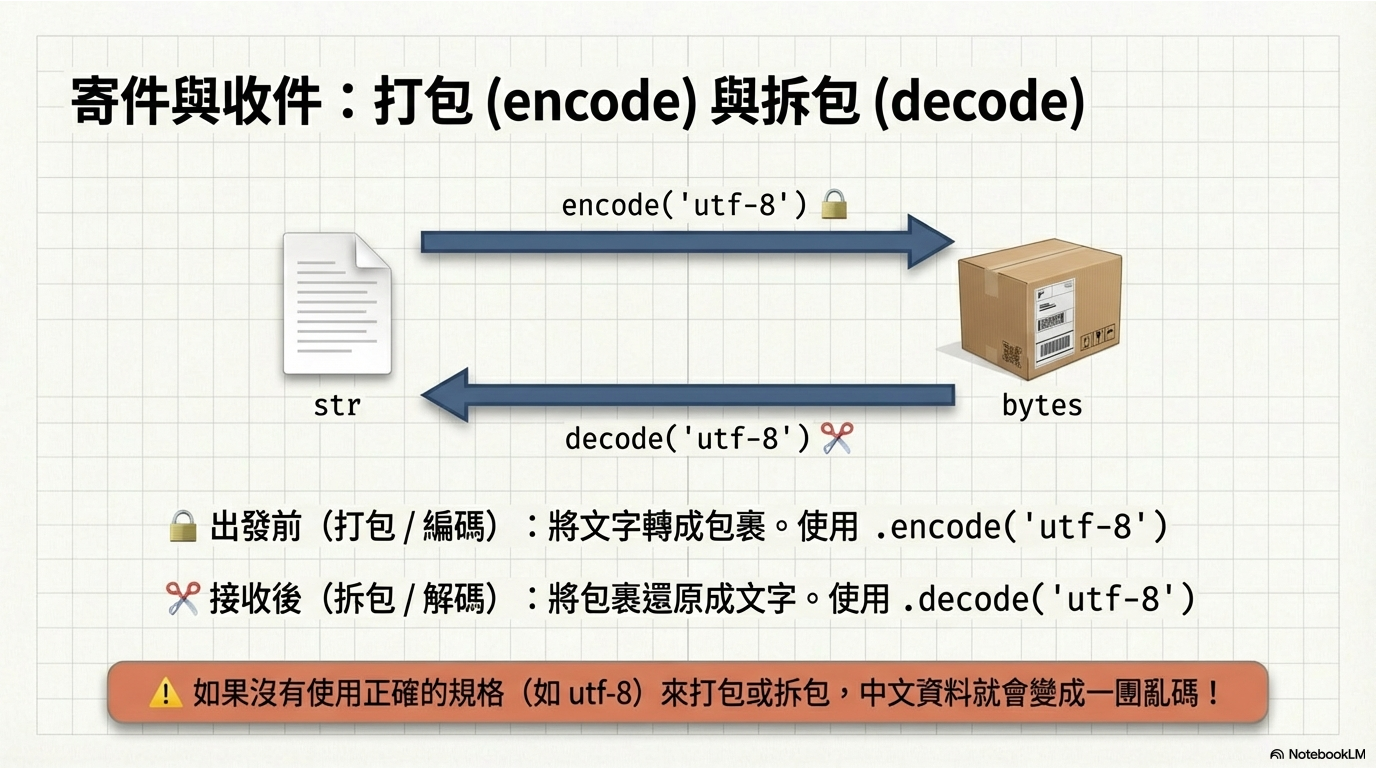
name = '我今年3歲'
print(f"原始字串長度 (字元數): {len(name)}") # 輸出: 5

# 步驟 1: 字串 'str' -> 二進位 'bytes' (打包/編碼)
name_bytes = name.encode('utf-8')
print(f"打包後: {name_bytes}")
print(f"bytes 長度 (位元組數): {len(name_bytes)}")

# 步驟 2: 二進位 'bytes' -> 字串 'str' (拆包/解碼)
name_unicode = name_bytes.decode('utf-8')
print(f"拆包後的字串: {name_unicode}")